Early Adopter Program
Overview
The myCloudPBX Early Adopter Program gives a phone system new capability before it becomes generally available. Joining is free, takes a few minutes in the portal, and causes no downtime. Nothing else about the phone system changes.
Joining switches on three features together.
| Feature | What it does | Where it is configured |
|---|---|---|
| Reporting and Intelligence | A new dashboard for your calls, your numbers and who is online. | Nothing to configure. |
| Chat | Internal messaging and SMS in the myCloudConnect App. | PBX Settings > Connect App Feature Settings |
| Call IQ | A summary of every recorded call, how it sounded and how well it was handled. | Call Recordings > Call Transcription |
Features in the program work, and they are still being shaped, so screens and wording can change between releases.
To join, see Joining the program.
The new dashboard
Reporting and Intelligence opens the new myCloudPBX dashboard. It is where new features arrive first. Open it from 'Reporting and Intelligence' on the phone system page, or from Dashboard in the Connect App.
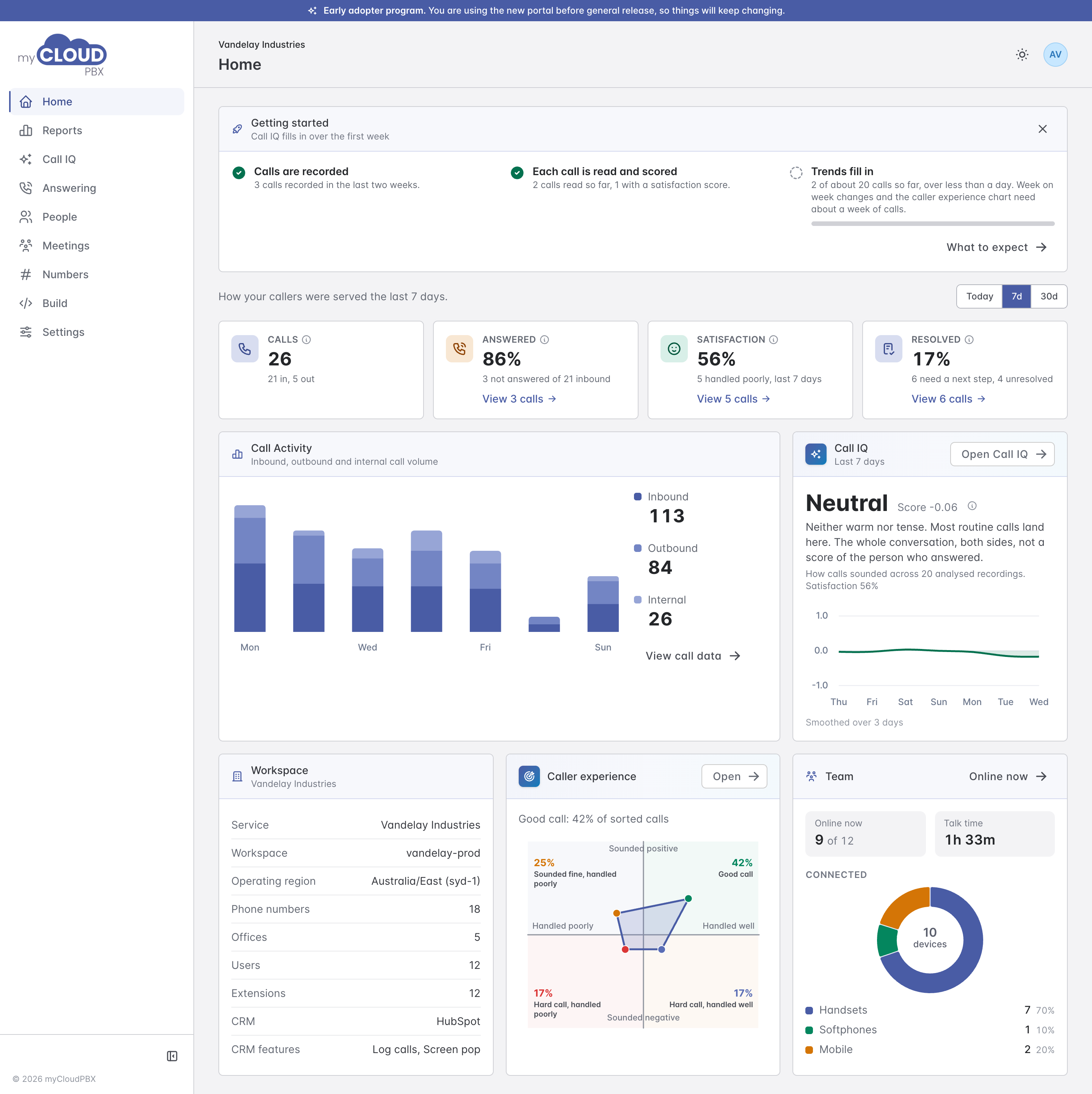
The menu down the left has six areas.
| Area | What it is for |
|---|---|
| Home | Calls, how many were answered, how callers came away, and who is online, at a glance. |
| Reports | Every call, and fourteen reports you can run, download or have emailed. |
| Call IQ | Summaries, transcripts, how calls sounded and how well they were handled. |
| Answering | The greetings and announcements callers hear, and the numbers you block. |
| People | Who is online and on which phones, and sign-in reset requests. See the dashboard guide. |
| Numbers | Your phone numbers and the emergency address on each one. |
What each person sees depends on their phone system role. The dashboard calls your phone system your workspace; they are the same thing.
What happens to the existing Reporting Dashboard
The existing Reporting Dashboard is unchanged and keeps running alongside the new one. Not every report has moved across yet, so use whichever has the report you need. Figures will not always match exactly between the two while both are running.
Next steps
- Joining the program, and where each feature's settings live.
- Workspace users and roles for the four roles and the two permissions.
- Dashboard guide for signing in, Home and People.
- Reports, Call IQ, Answering and Numbers.