Contacts
Overview
Contacts is your address book for people outside the business. Colleagues on your own phone system are under People.
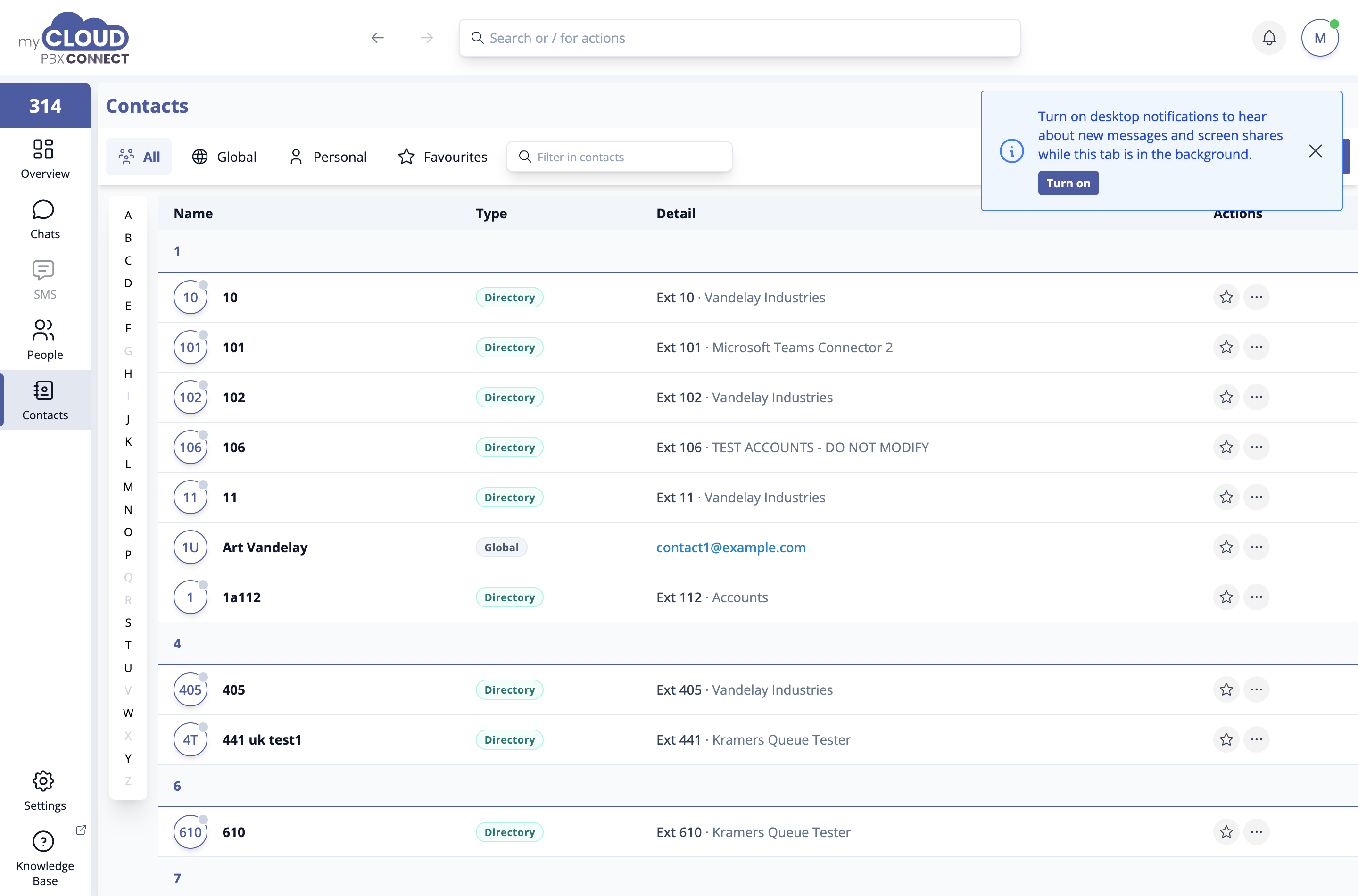
Saved contacts are matched against incoming calls and messages, so a known caller appears by name rather than as a bare number.
Where contacts come from
| Tab | What it holds |
|---|---|
| All | Every contact together. |
| Global | The shared directory everyone on the workspace sees. It is maintained in the Portal, not here. See Global Contact Directory. |
| Personal | Contacts only you can see. |
| Favourites | Anything you have starred, from any list. |
'Filter in contacts' narrows whichever tab you are on, and the A to Z index down the side jumps to a letter.
Adding contacts
- 'New contact' adds one by hand.
- 'Import contacts' brings across a list in one go. Drop in vCard (.vcf) or CSV files, or a .zip of them. Where a contact already exists, choose whether to Update it, Replace it or Skip it.
- On the Personal tab, 'Select' picks contacts to Move to Global Address Book, if you are allowed to change the shared directory.
To save a mobile number for a colleague on the phone system, use 'Add mobile number' on their card in People.
Who can change the shared directory
Anyone can add to their own personal contacts. Changing the Global directory needs the Manage Global Contact Directory permission, granted against your Portal role under Admin > Configure Roles.