Settings
Overview
Settings changes how Connect behaves for you only. Nothing here affects your colleagues, and nothing here changes your phone system configuration.
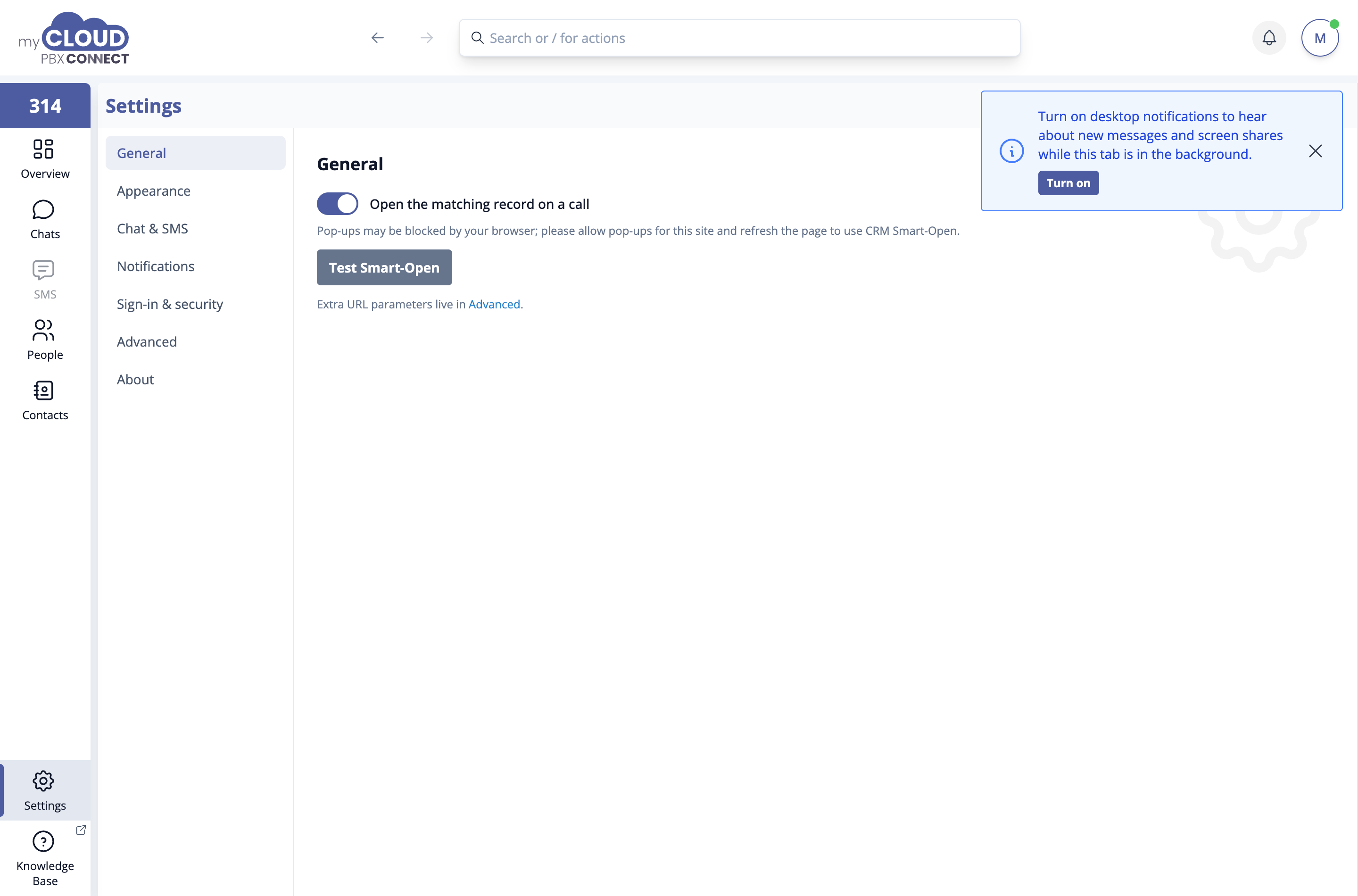
General
Open the matching record on a call, also called CRM Smart-Open, opens your CRM at the right page when you answer. Depending on what it can identify, that is the exact contact record, a search page where several people match, or a new contact form.
'Test Smart-Open' checks the setup without waiting for a real call.
Allow pop-ups
Smart-Open opens a new browser tab, so your browser must allow pop-ups for Connect. If nothing happens on an answered call, that is the first thing to check. See Troubleshooting.
Your administrator enables the CRM
The CRM itself is connected for the whole phone system by an administrator. See CRM Overview. Each person then chooses whether Smart-Open is on for them.
In the desktop app, General also has:
| Setting | What it does |
|---|---|
| Open myCloudPBX Connect on startup | Starts Connect when you sign in to your computer. |
| System tray | On Windows, keeps Connect running in the system tray when you close the window. Turn it off to quit the app instead. |
Appearance
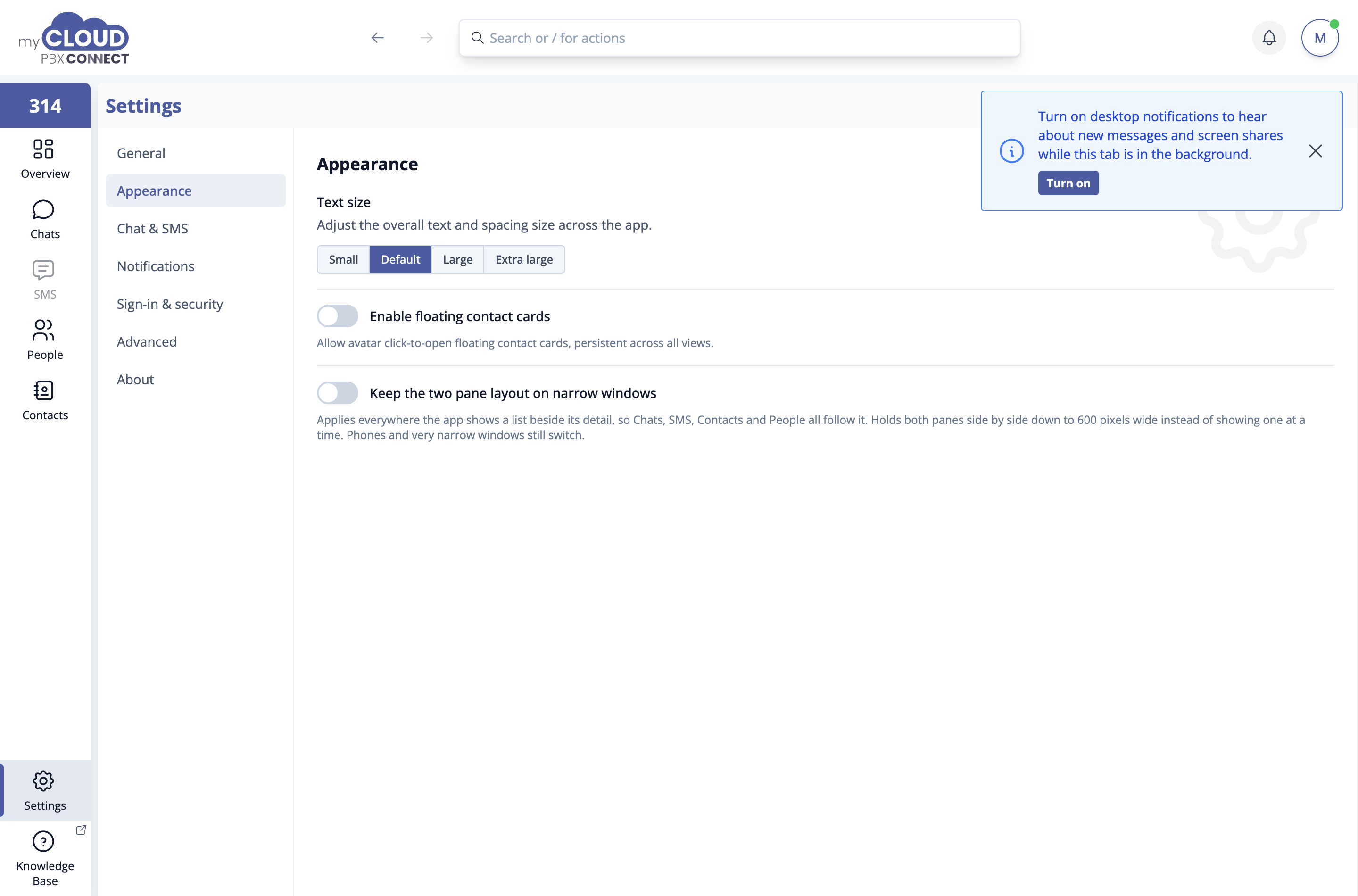
| Setting | What it does |
|---|---|
| Text size | Adjusts text and spacing across the app: Small, Default, Large or Extra large. |
| Menu bar icon | On a Mac, chooses a Light icon or Dark icon for the menu bar. Pick dark if you keep a light menu bar. |
| Enable floating contact cards | Clicking an avatar opens a contact card over the current view, in any area. |
| Keep the two pane layout on narrow windows | Holds the list and its detail side by side down to 600 pixels wide instead of switching between them. Applies to Chats, SMS, Contacts and People. Phones and very narrow windows still switch. |
Chat & SMS
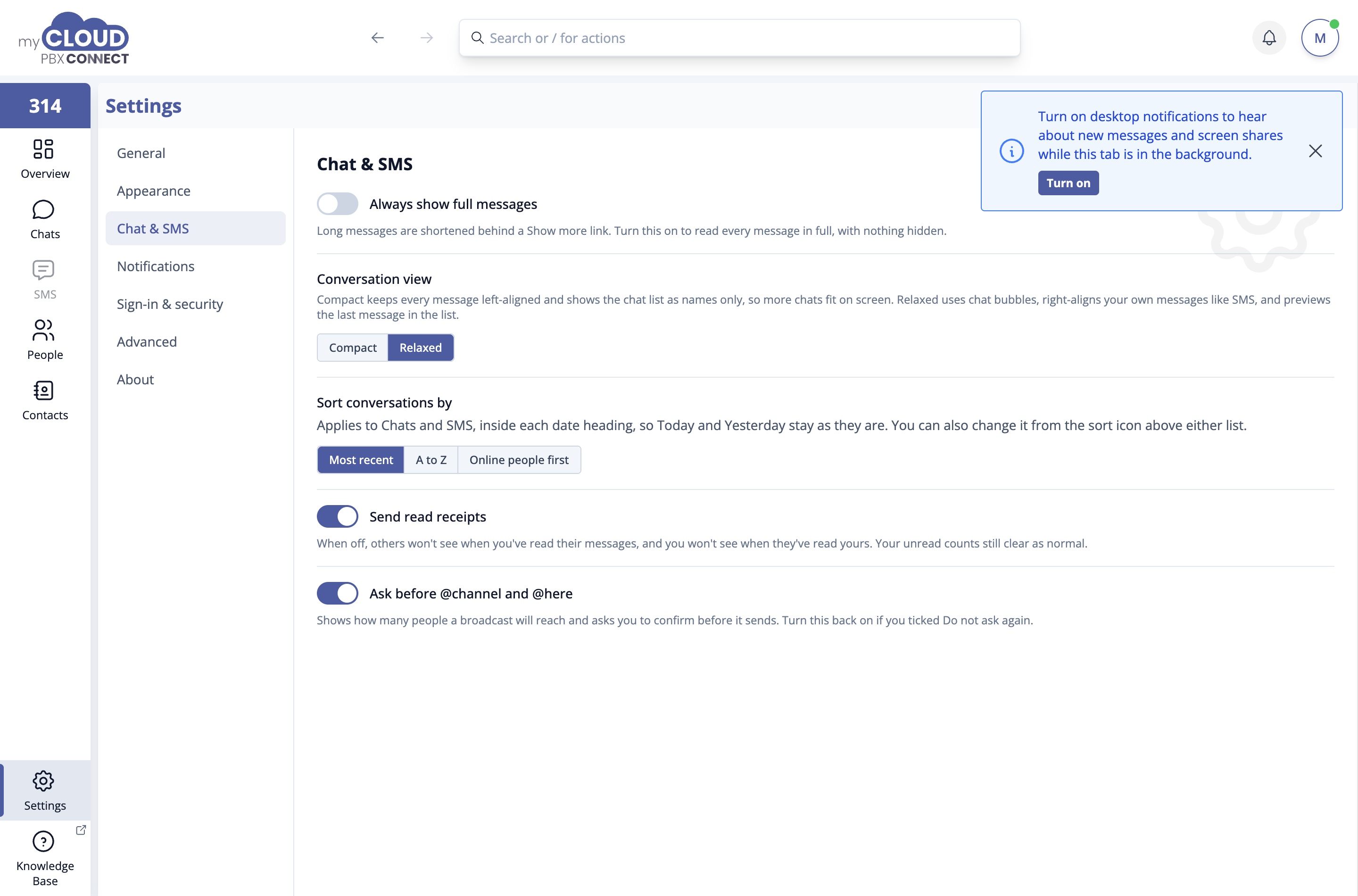
| Setting | What it does |
|---|---|
| Always show full messages | Stops long messages being collapsed behind a Show more link. |
| Conversation view | Compact left aligns every message and lists chats by name only, so more fit on screen. Relaxed uses bubbles, right aligns your own messages like SMS, and previews the last message in the list. |
| Chat list layout | Separate sections keeps direct messages, group chats and channels under their own headings. One list puts them together, newest activity on top. Chats only; SMS keeps its own list. |
| Sort conversations by | Most recent, A to Z or Online people first, within each date heading in Chats and SMS. Today and Yesterday stay where they are. With separate sections, channels follow the same sort. Online people first applies to Chats only, because SMS contacts have no status, so SMS sorts by most recent with that choice. |
| Send read receipts | When off, others do not see when you have read their messages, and you do not see when they have read yours. Your unread counts still clear as normal. |
| Ask before @channel and @here | Shows how many people a message to the whole channel will reach and asks you to confirm before it sends. Turn it back on here if you ticked Do not ask again. |
Notifications
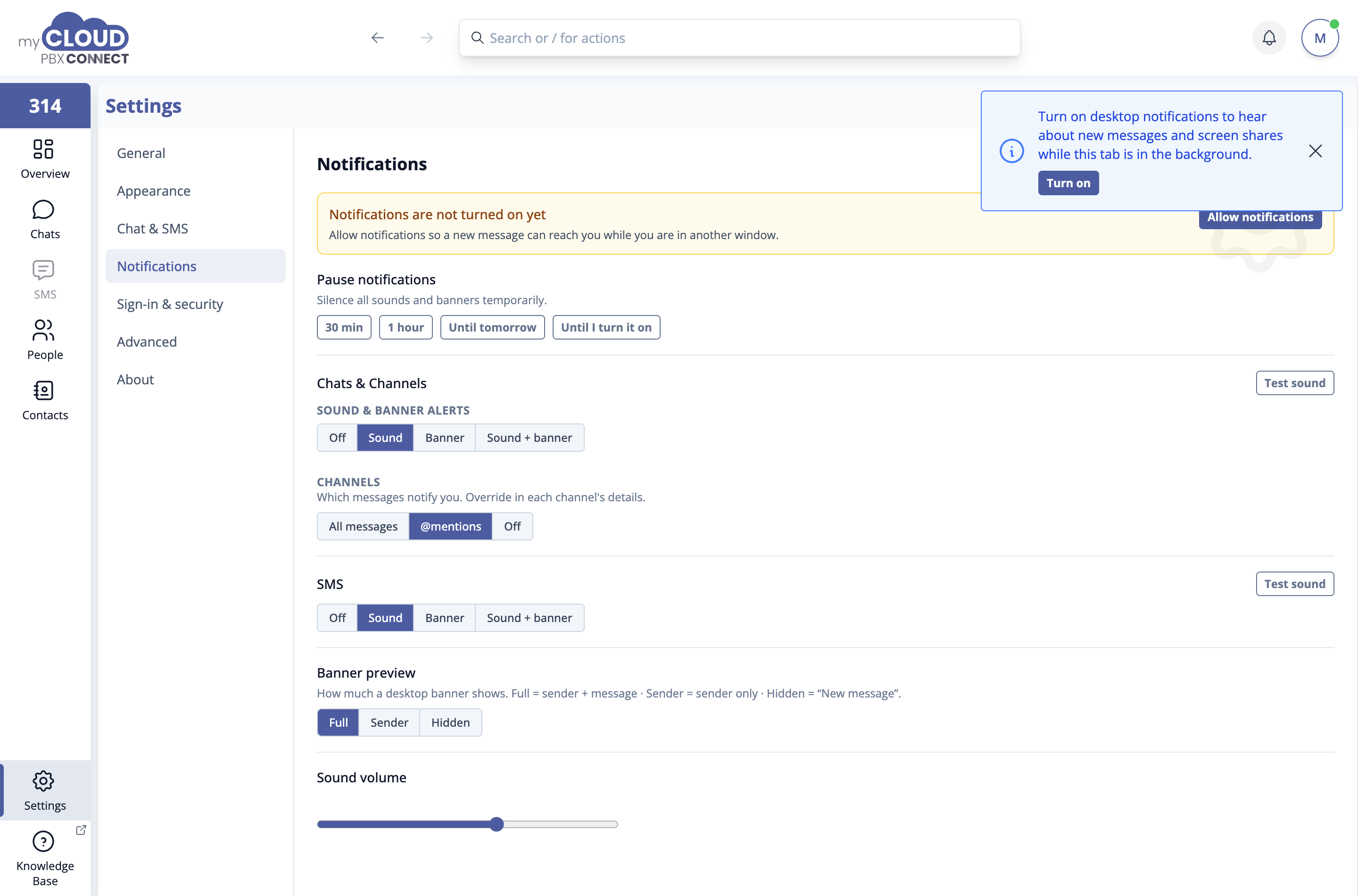
The card at the top says whether Connect can reach you while you are in another window, and how each area will alert you. 'Send a test banner' checks that your computer lets the alerts through. If notifications are blocked, the card offers a button to allow them and 'Open system settings'.
Pause notifications silences sounds and banners for 30 min, 1 hour, Until tomorrow or Until I turn it on. While paused, 'Resume' turns them back on. Pausing here also pauses notifications in the myCloudPBX mobile app, and a pause set on your phone shows here.
| Setting | What it does |
|---|---|
| Chats & channels and SMS | Each area has its own alert: Off, Sound, Banner or Sound + banner. 'Test sound' plays the alert so you can check it is audible. |
| Channels | Which channel messages notify you: All messages, @mentions or Off. Any channel can override this in its own details. |
| Banner preview | How much a desktop banner shows. Full shows the sender and the message, Sender shows only who it is from, and Hidden just says there is a new message. |
| Sound volume | How loud alert sounds play. |
| Effect sounds | Plays a short sound with chat effects such as confetti and fireworks, when your chat alerts play sounds. |
Sign-in & security
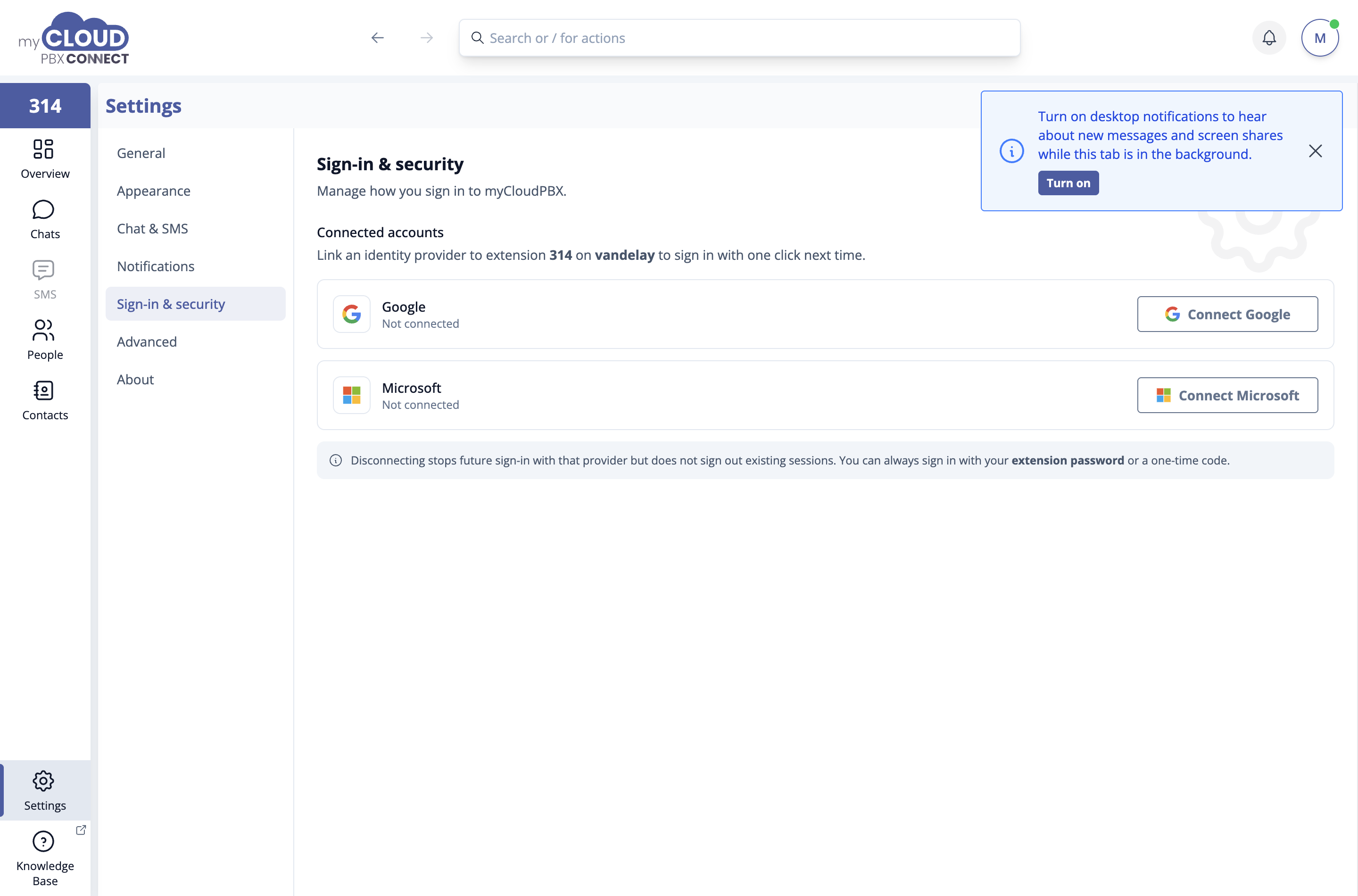
Link a Google or Microsoft account to your extension to sign in with one click next time. 'Connect Google' or 'Connect Microsoft' opens the sign-in page in your browser. Finish signing in there, and the account shows as Connected when you come back to Connect.
'Disconnect' stops future sign-ins with that account but does not end sessions that are already running. You can always sign in with your extension or password instead.
The account's email address has to match the one on your extension. See Signing in with Google or Microsoft.
Multi-factor sign-in
Appears once multi-factor sign-in is available to you. It shows whether multi-factor sign-in is on, the authenticator apps you have added and how many recovery codes are left.
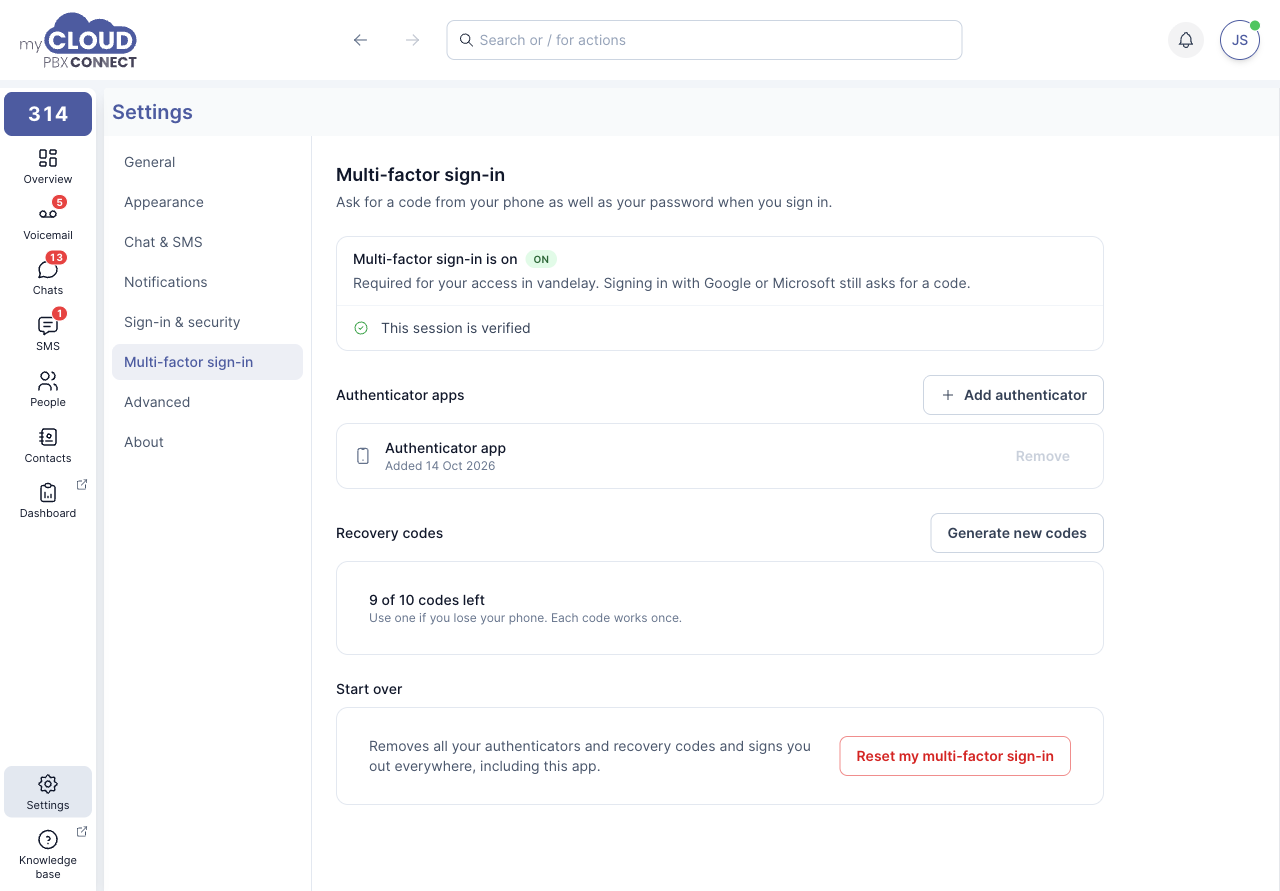
See Multi-factor sign-in for setting it up, recovery codes and what to do if you lose your phone.
Advanced
Additional Smart-Open parameters appends URL parameters when opening CRM pages. Use key=value, joined with an ampersand, for example id=123&name=abc.
About
Shows your version, and 'View release notes' lists what has changed in each release. The desktop app updates itself.