SMS
Overview
SMS holds text conversations with people outside the business, on the mobile numbers your phone system is configured to receive.
Which numbers reach you, and whether a conversation is yours alone or shared with a team, is configured in the Portal rather than here. See SMS Messaging.
A red count on SMS in the side menu shows how many unread messages are waiting.
Choosing which number you are working in
If you have more than one SMS number, the SMS number switcher above the conversation list picks which one you are looking at. Numbers are grouped into Your numbers and Shared numbers, each with its unread count. All numbers shows every conversation together, with a tag on each one naming the number it came in on.

A shared number is a shared inbox
On a shared number, everyone in the group sees the whole history and any of them can reply. Treat it as a team mailbox rather than a private conversation.
'Sort conversations' orders the list by Most recent or A to Z.
Starting a conversation
'New SMS' asks who to text, by name or Australian mobile number, and which of your numbers to send from. You can also type /sms followed by a number or a name in any message box.
Inside a conversation
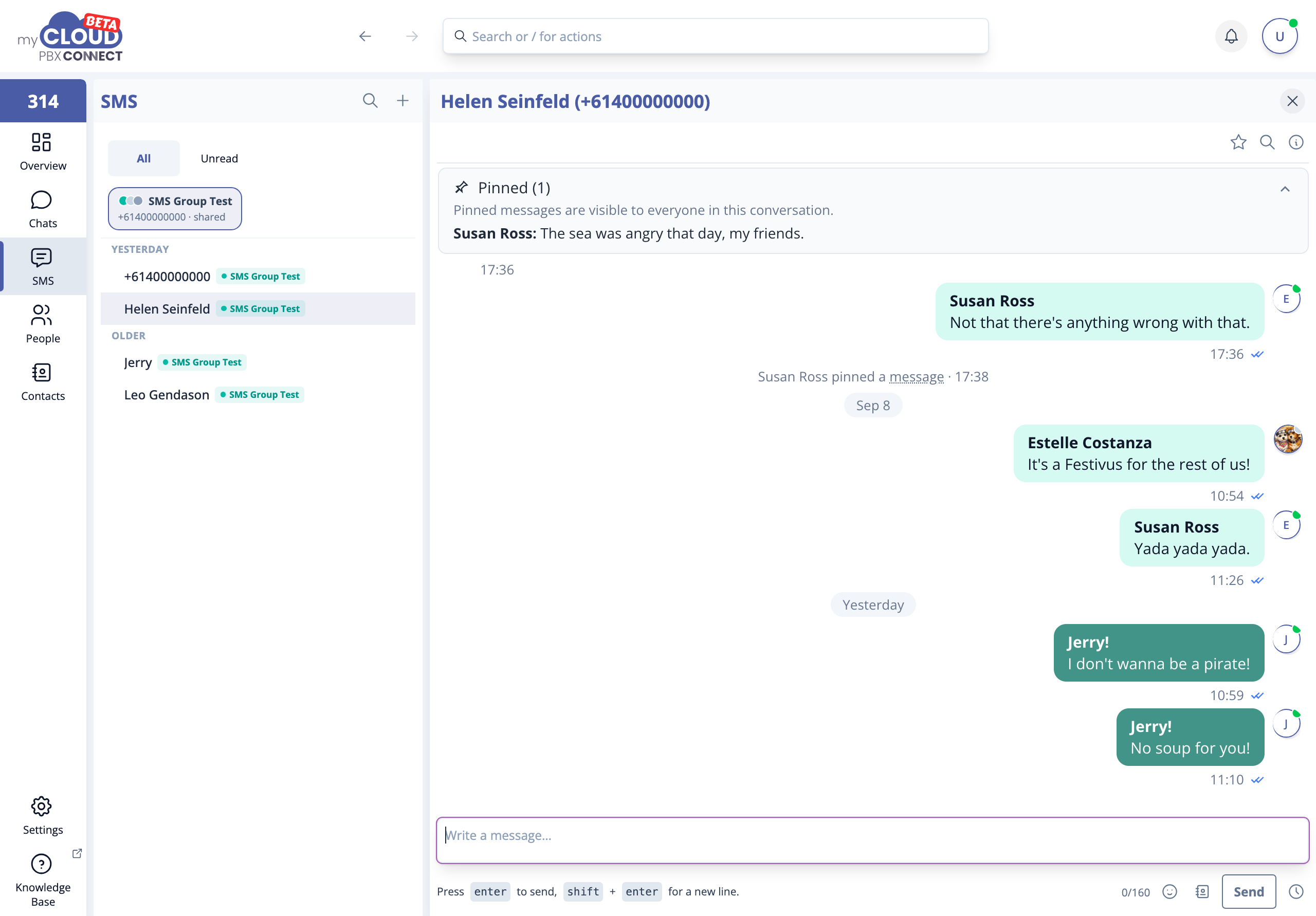
The thread shows each message with its time and delivery ticks.
Pinned messages sit in a banner at the top of the conversation and are visible to everyone in it. This suits the details that keep being asked for, such as an address, an account reference or opening hours. Pin a message from its menu.
The header has 'Search', and 'Add this number to contacts' when the number is not saved yet. 'More actions' holds Show starred only and Chat details, which shows the number the conversation is sent from and its notification setting.
Reactions sent from an iPhone, such as a thumbs up or a heart, show as a reaction on the message they refer to rather than as a separate "Liked" text.
Sending
The composer counts characters against the 160 character SMS limit. Press Enter to send and Shift+Enter for a new line. The clock beside 'Send' schedules the message for later, the same way as in Chats.
Longer messages still send
Going past 160 characters does not stop a message, but it is sent as more than one part and may be charged accordingly. The counter shows how many parts it will take, and an emoji reduces the space in each part.
When someone opts out
If a contact replies STOP, the conversation says they have opted out and nothing can be sent to them until they reply START.
Replying to a voicemail by SMS
When a voicemail comes from an Australian mobile, 'Reply by SMS' on the message opens an SMS conversation with that number. See Voicemail.
Related articles
- SMS Messaging, how the routes are configured
- Global Contact Directory
- Chats