People
Overview
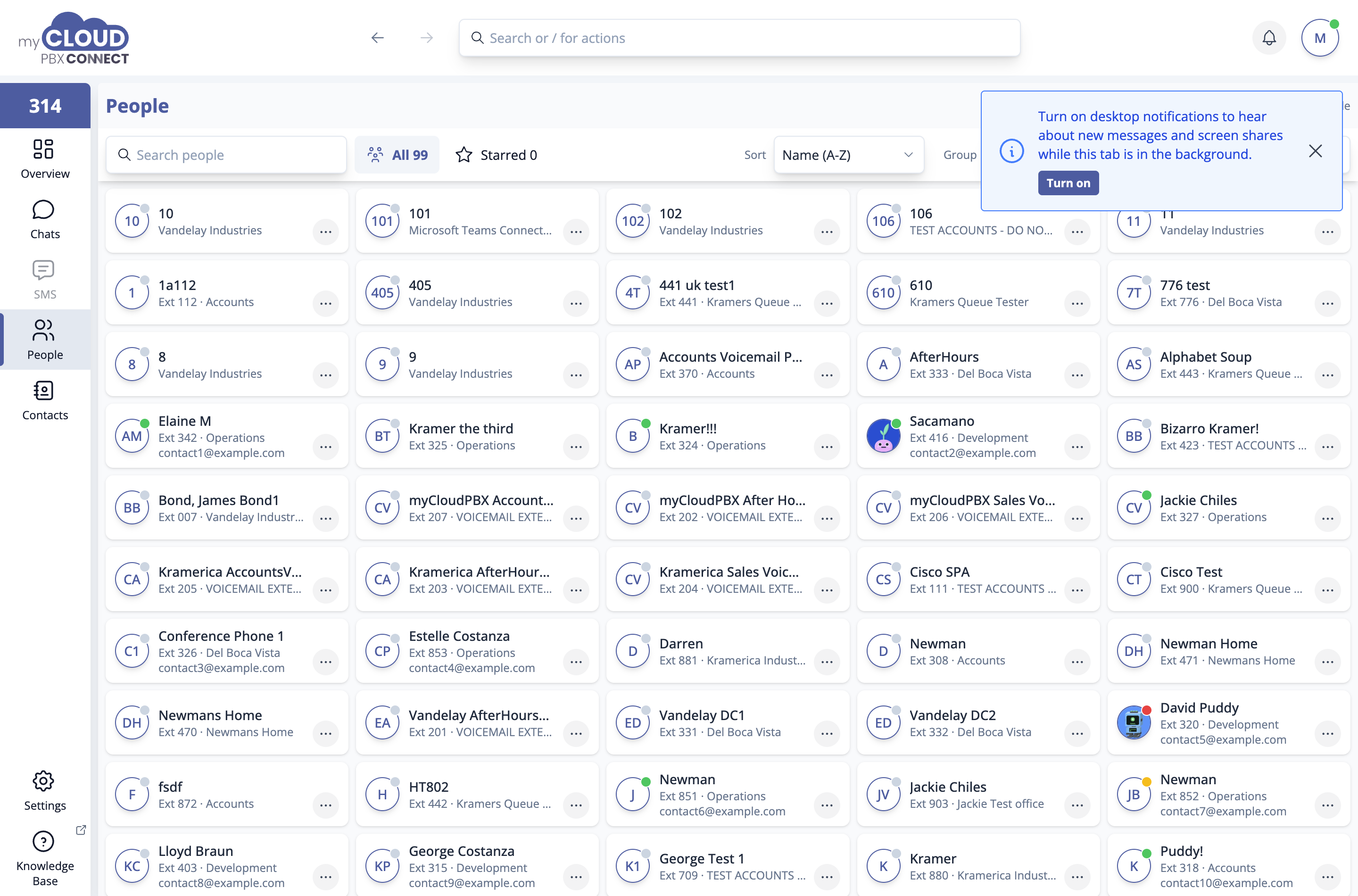
People lists everyone on the phone system with their extension, office and current availability. It answers "what is their extension" and "are they free right now" without leaving the app.
For people outside the business, see Contacts.
Finding someone
- Search people matches on name or extension.
- All and Starred narrow the list.
- Sort orders by Name (A-Z), Availability, Extension or Office.
- Group collects people by Offices or Status, or leaves the list flat.
- Office shows one office only.
Filters you have set show as chips above the list. 'Clear all' removes them.
Star the people you deal with daily
Starring a handful of colleagues puts them one filter away. It is the quickest win on this screen, and starred people also appear under Favourites in Contacts and on the Overview.
You are in the list too
Your own card is marked (you). Choose 'Chat' on it to keep notes or send yourself a file, which is a handy way to move something from one computer to another.
Presence
The coloured dot on each card shows availability: available, busy, or offline. A faint dot means Connect cannot tell. Presence reflects whether the person is signed in to Connect and the status they have set, not whether they are currently on a call.
The dot is about Connect, not the phone. It is not linked to whether the person's handset or softphone is registered to the phone system, so the two can disagree.
| Where you look | What "online" means |
|---|---|
| The dot in Connect | The person is signed in to Connect |
| The new dashboard (Dashboard in the Connect side menu, see Opening the Dashboard) | The person's handset or softphone is registered to the phone system |
Someone whose desk phone is working but who has not signed in to Connect shows as offline in Connect. Their phone still rings and they can still make and take calls as normal.
Everyone looks offline?
If you have just started using Connect, your colleagues may not have signed in to it yet. Once they sign in, their dot changes.
Acting on a person
The ⋯ menu on a card offers View details, Chat, Share contact, Star, Add mobile number, Email, Copy extension and Copy email.
View details opens the person's card, with their extension, email, office and numbers. Where enabled, clicking an avatar opens a floating contact card over whatever you are looking at. That behaviour can be turned off in Settings.
Add mobile number saves a mobile for someone on the phone system to your own contacts. Their name, extension and office stay as the phone system has them.
For managers: resetting multi-factor sign-in
Managers see a Multi-factor sign-in section on each person's details. If someone has lost their phone, choose 'Reset' and confirm. They set multi-factor sign-in up again the next time they sign in. See Multi-factor sign-in.