Meetings
Overview
Meetings in the new dashboard is where you set up your conference rooms and look back at the sessions held in them.
- Conference rooms are for Administrators and Managers.
- Sessions also need Call Content, because they hold recordings, transcripts and summaries.
Conference rooms
Your workspace has five conference rooms. Give each one a name people recognise, and a security code if callers should need one to join.
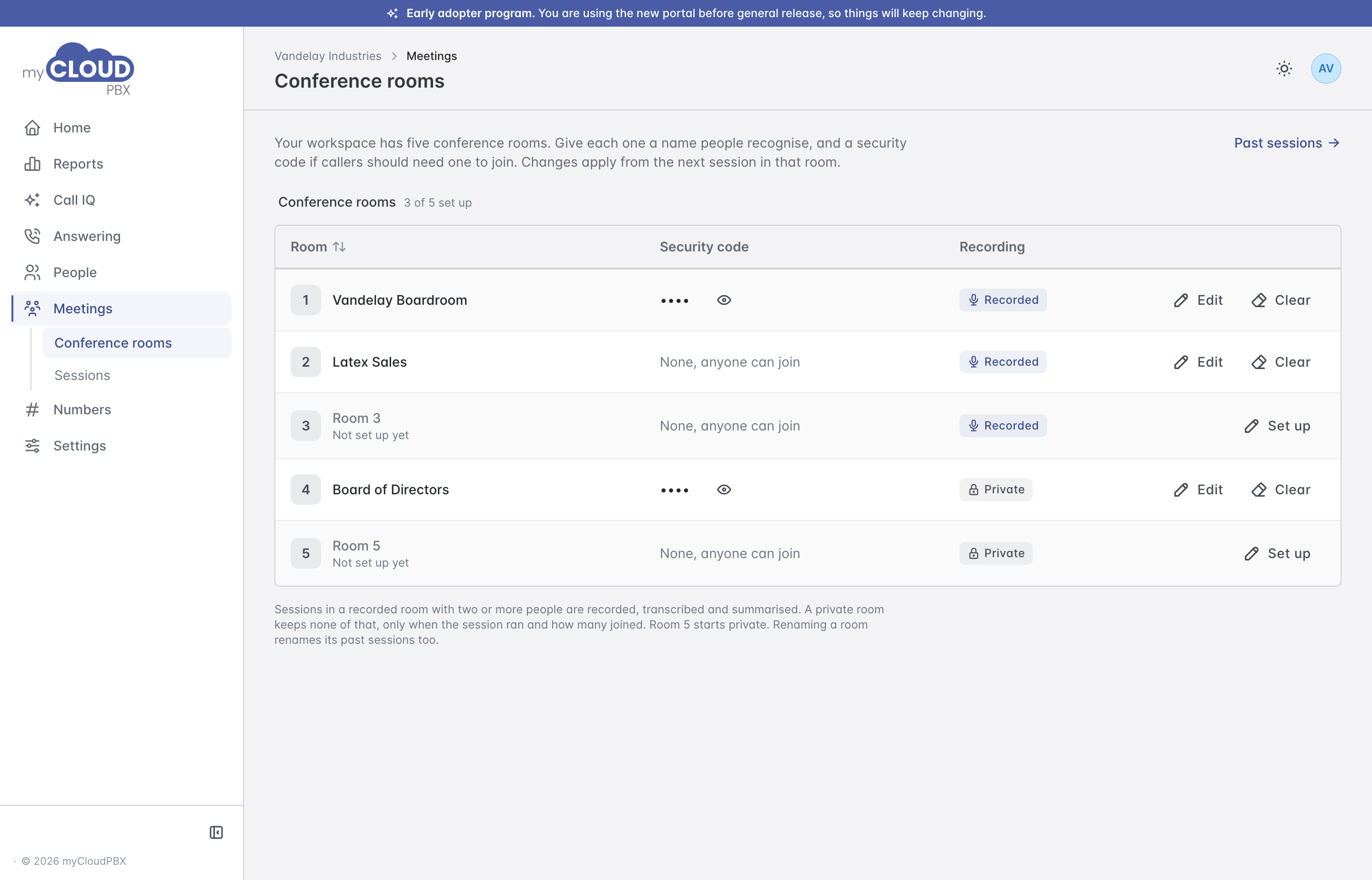
| Column | What it shows |
|---|---|
| Room | The room's name. A room nobody has set up yet reads Not set up yet. |
| Security code | The four-digit code callers enter to join, hidden until you choose the eye. None, anyone can join means there is no code. |
| Recording | Recorded or Private. |
Setting up a room
- Choose 'Set up' beside an empty room, or 'Edit' beside one already in use.
- Enter a Room name, for example Sales Bridge.
- Enter a four-digit Security code, or leave it empty so anyone who dials the room can join.
- Switch on Private room if sessions there should never be recorded, transcribed or summarised.
- Choose 'Save room'.
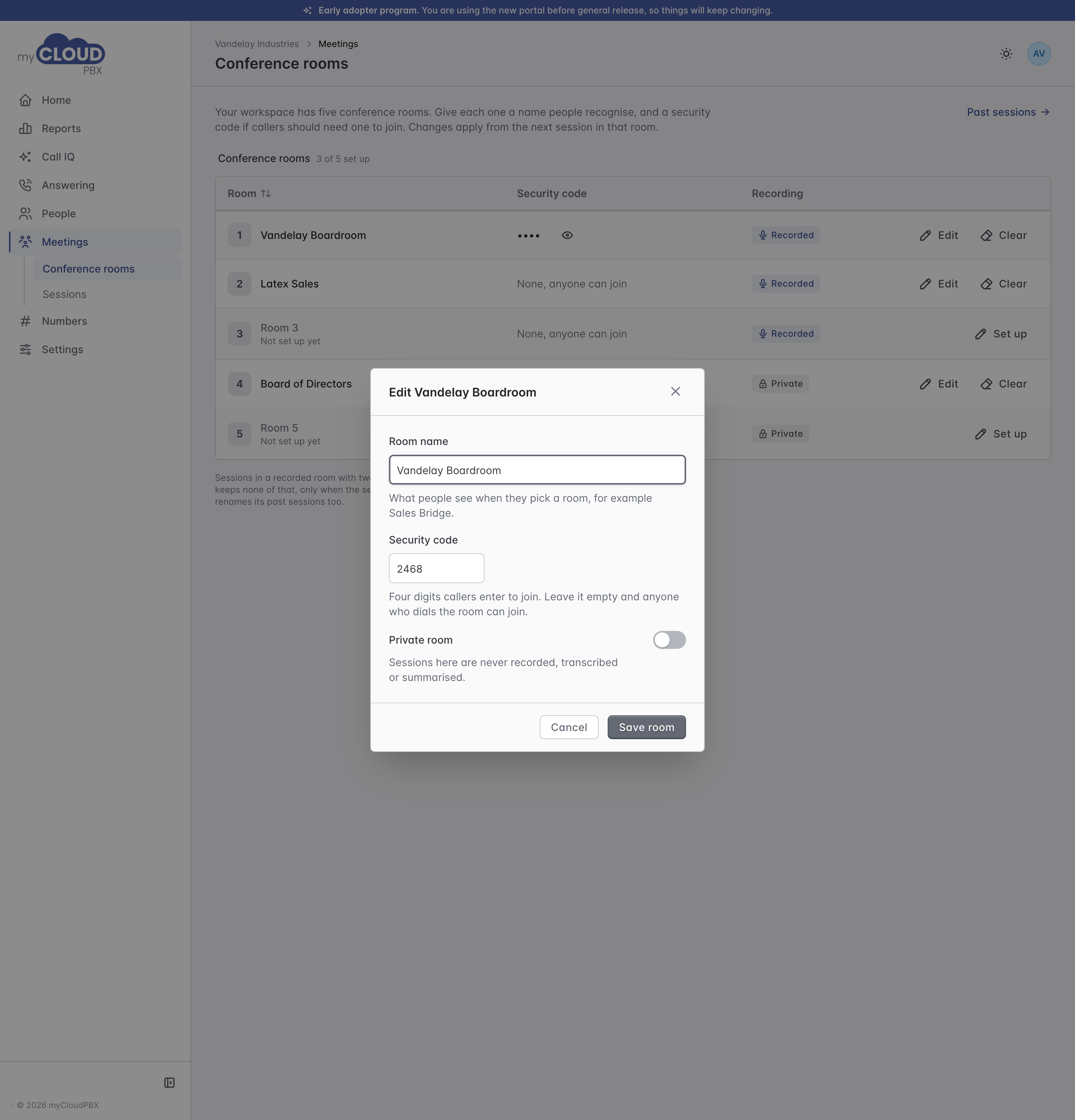
Changes apply from the next session in that room. Room 5 starts private.
'Clear' puts a room back to its default name, with no security code and its default privacy. Its past sessions stay.
Renaming a room
Past sessions are listed under the room's current name, so renaming a room renames its past sessions too.
Sessions
A session runs from the first person joining a room to the last person leaving. Choose the window and the room at the top.
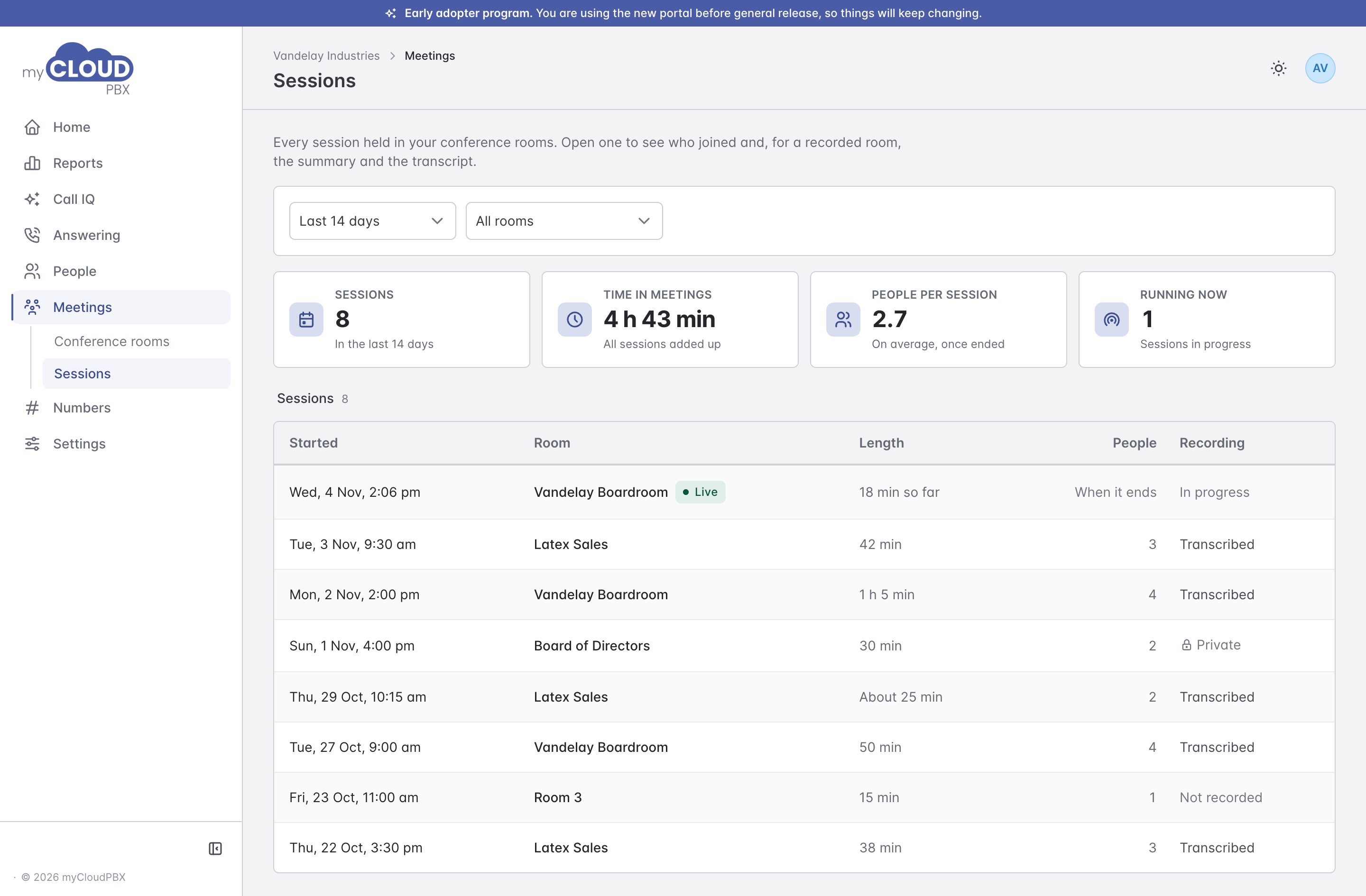
The tiles across the top show how many sessions there were, the total time spent in meetings, the average number of people per session, and any session running now.
| Column | What it shows |
|---|---|
| Started | When the first person joined. A session still running is marked Live. |
| Room | The room it was held in. |
| Length | How long it ran. About means the platform did not see the last person leave, so the end time is an estimate. |
| People | How many joined. A live session shows When it ends, because the count is taken when it finishes. |
| Recording | Transcribed, Not recorded or Private. A live session reads In progress. |
A session in a recorded room is recorded, transcribed and summarised when two or more people join.
Opening a session
Click a session to see when it ran, who joined, and for a recorded room, the summary, the recording and the transcript.
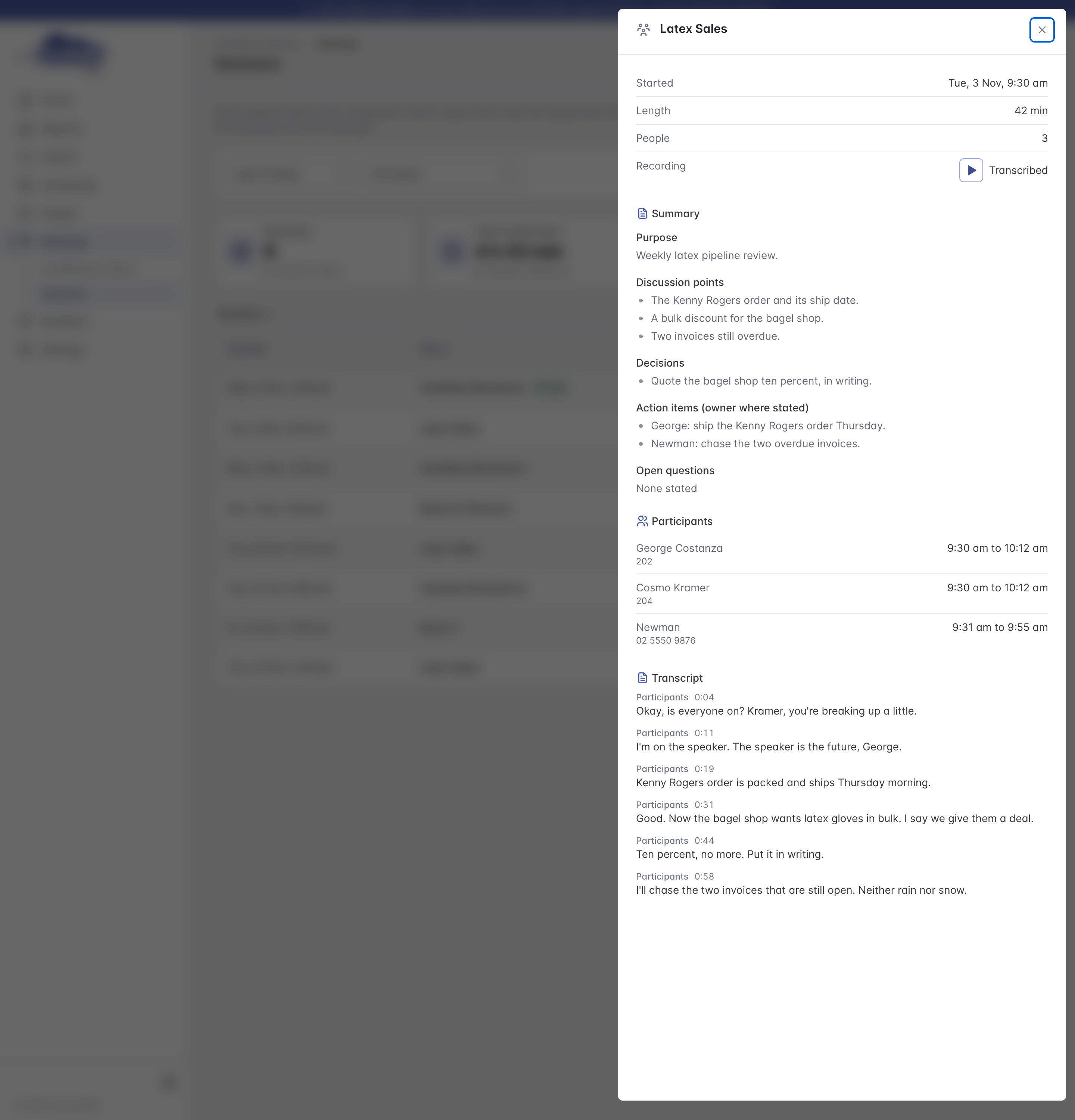
The summary is set out as the purpose of the meeting, the points discussed, decisions, action items (with an owner where one was named) and open questions.
A session in a private room shows only when it ran and how long. There is no recording, transcript, summary or list of who joined.